
Own Your Day!
Own Your Day!
How to Sign Up on grey.co

Grey (grey.co) is a financial technology platform that provides virtual foreign bank accounts, enabling freelancers, remote workers, and businesses; particularly in emerging markets like Africa to receive, hold, and send payments globally in USD, GBP, and EUR.
Grey offers swift, secure currency exchange, virtual cards, and low-fee cross-border transactions.
In this guide, you will learn how to sign up on Grey.co step by step.
Benefits of signing up on Grey
Some key benefits of creating a Grey bank account include:
- Foreign Currency Accounts: You will obtain a dedicated virtual accounts (USD, GBP, EUR) for receiving international payments directly from clients or platforms.
- Zero Hidden Fees: You will Enjoy low-cost, transparent, and often fee-free account maintenance.
- Fast Transfer: International transfers are typically completed within minutes, allowing quick access to funds.
- Better Exchange Rates: You can convert foreign currency to local currency (such as NGN) at better rates than traditional banks.
- Virtual Dollar Card: You have an access a virtual USD debit card for online shopping, subscriptions, and international payments.
- Easy and Secure Use: You experience 100% digital sign-up with no physical queues. 24-hour banking via mobile app, two-factor authentication, and robust security for your peace of mind.
- Naira Account Support: You can Easily link and transfer funds from your foreign currency accounts to a registered Nigerian Naira account.
- Perfect for Freelancers: Grey Bank account is Tailored for digital nomads and remote workers to manage international payments, invoices, and expenses in one place.
Creating a bank account on Grey is very easy.
At the moment, you can only create accounts in Nigerian Naira (NGN), United States dollars (USD), British pounds (GBP), and EURO (EUR). More currencies will be supported soon.
Requirements to Create a Grey Account
Before you start, make sure you have:
- A valid email address
- A phone number
- A government-issued ID
- A stable internet connection
Here’s How to sign up on grey.co
Follow these simple steps:
Step 1: Visit Grey official website
Open your preferred Brower and visit Grey official website or log on to grey.co to begin your registration.
Step 2: Sign up
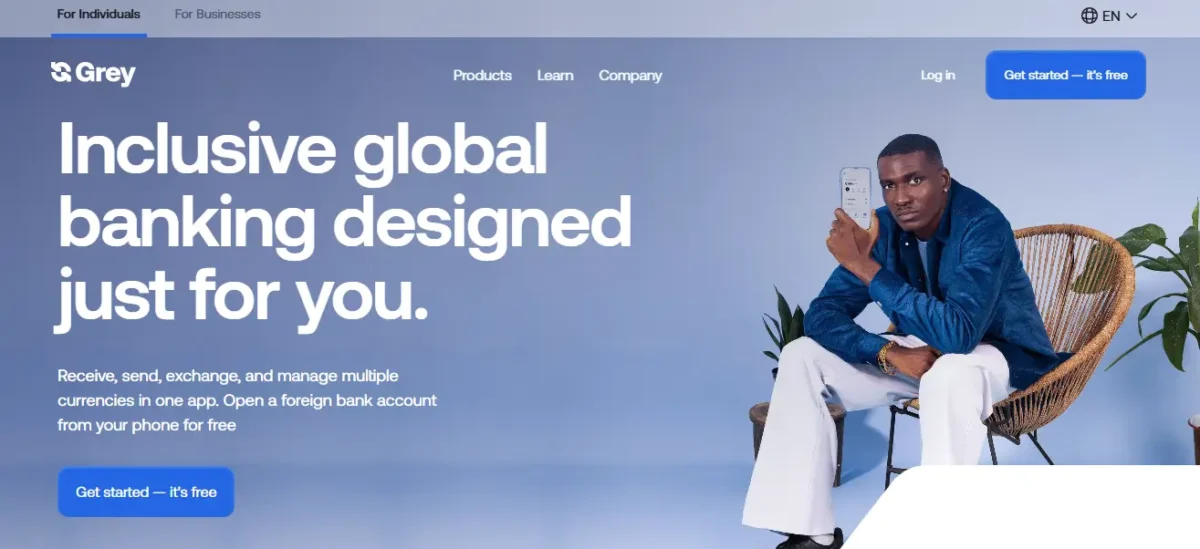
On the homepage, Click on “Get started” button. This will take you to the registration page.
Read Also: How to Use Google Wallet: Pay, Send & Receive Money
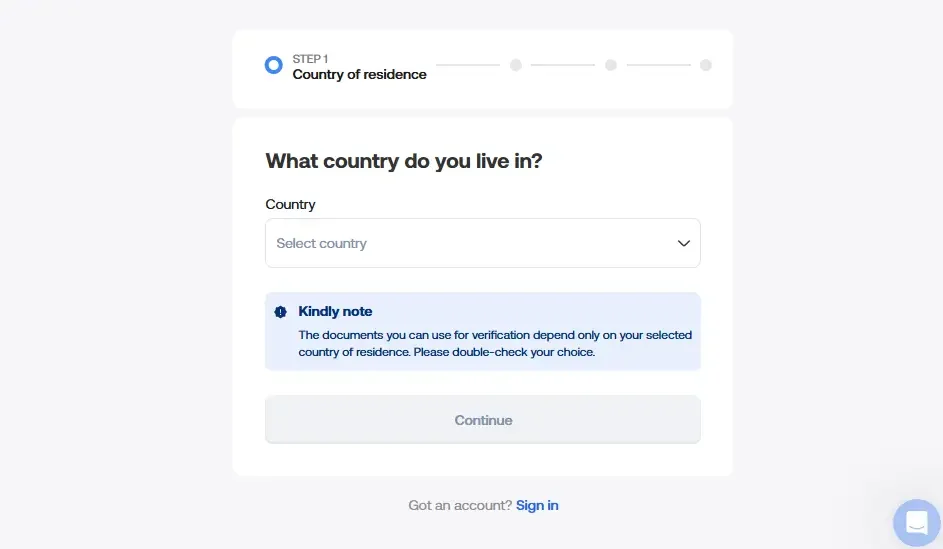
Step 3: Choose Your Country
Select your country of residence from the list.
Note: Grey currently supports about 70+ countries. Make sure your country is available before you continue.
Step 4: Fill in Your Details
After Selecting your country, Proceed to filling the form on the sign-up page.
Provide your
- Full name (as it appears on your ID)
- Phone number
- Gender
- Email address, and
- Password.
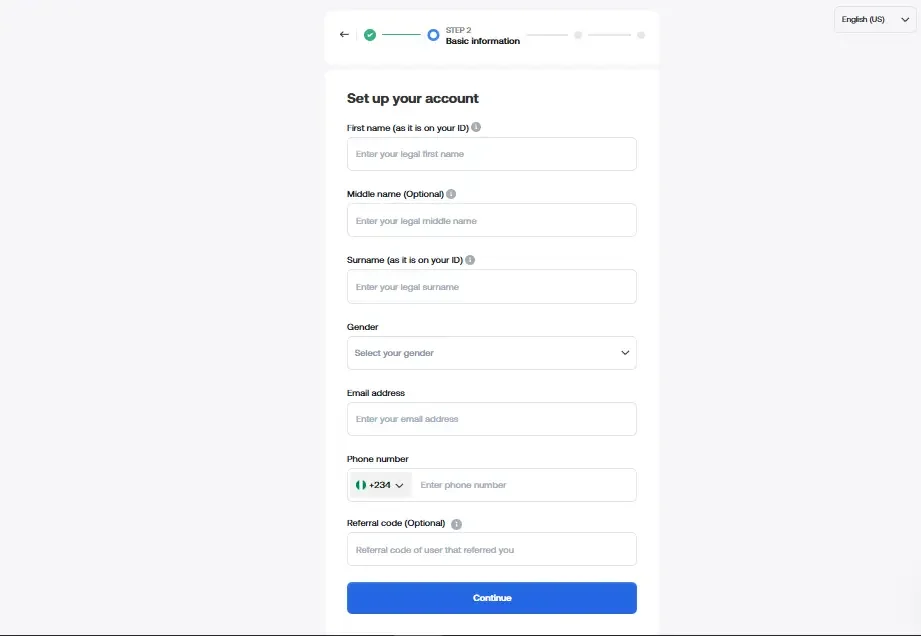
Step 5: Enter referral code (optional)
If someone invited you, you can ask them for their code. Or Skip this step if you do not have a referral code.
Read Also: Top 7 Legit Investment Apps That grow Your Money
Step 6: Submit Your Details
Make sure all the information provided above is correct. Then click on the “Continue” to move to the next step.
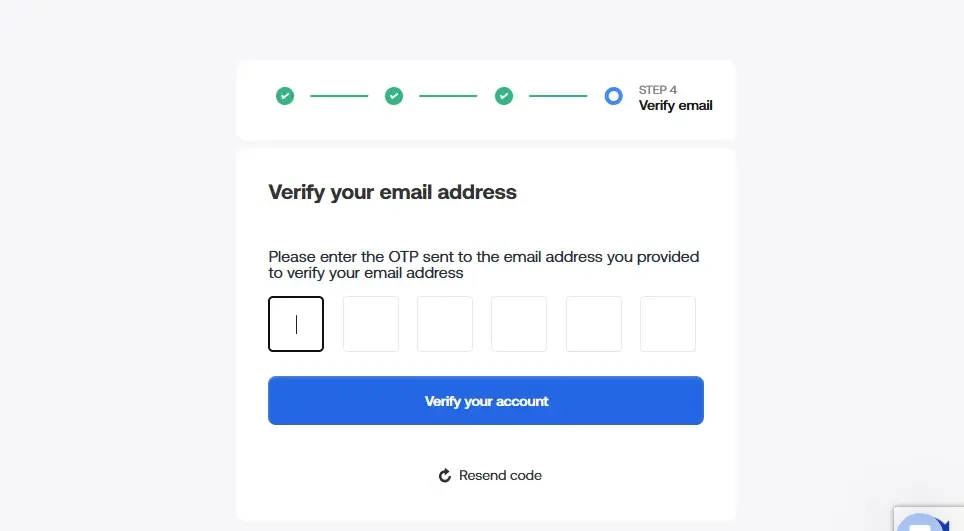
Step 7: Verify your Email
Grey will send a 6-digit code to your email.
- Open your email
- Copy the code
- Paste it on the website to confirm your account
Tip: Use a strong password to keep your account safe.
Read Also: How to Create a Bank Account on Grey
Frequently Asked Questions
Conclusion
Signing up on Grey.co is simple and quick. You only need a few minutes to create your account and verify your email. Once you finish the process, you can receive international payments, hold foreign currencies, and manage your money with ease.
If you work online or deal with clients abroad, Grey offers a smart and reliable way to handle your payments.
